Set up SaaS subscription billing with Whop in 15 minutes. Create a checkout link, enable recurring payments, and start selling today.
Key takeaways
- Whop lets SaaS businesses launch recurring billing in under 15 minutes without custom code or complex payment processor setup.
- The platform automates the entire subscription lifecycle, including renewals, dunning with 5-day retries, cancellations, and self-serve customer billing portals.
- Sellers can boost conversions by offering flexible checkout options like free trials, split payments, BNPL, crypto, and embedded checkout experiences.
Every SaaS business runs on predictable revenue. Recurring payments are what make that possible: automatically handling renewals, billing cycles, and access so you can focus on building, not chasing payments.
But setting up recurring billing for SaaS can be a headache. Some setups take days (or longer) to implement with custom configurations, messy webhooks, dunning logic, and failed payment recovery flows all adding a lot of complexity.
With Whop, you can set up recurring subscriptions in under 15 minutes. No payment processor setup, no custom code required to start. This piece walks through exactly how to do it.
What you're actually setting up
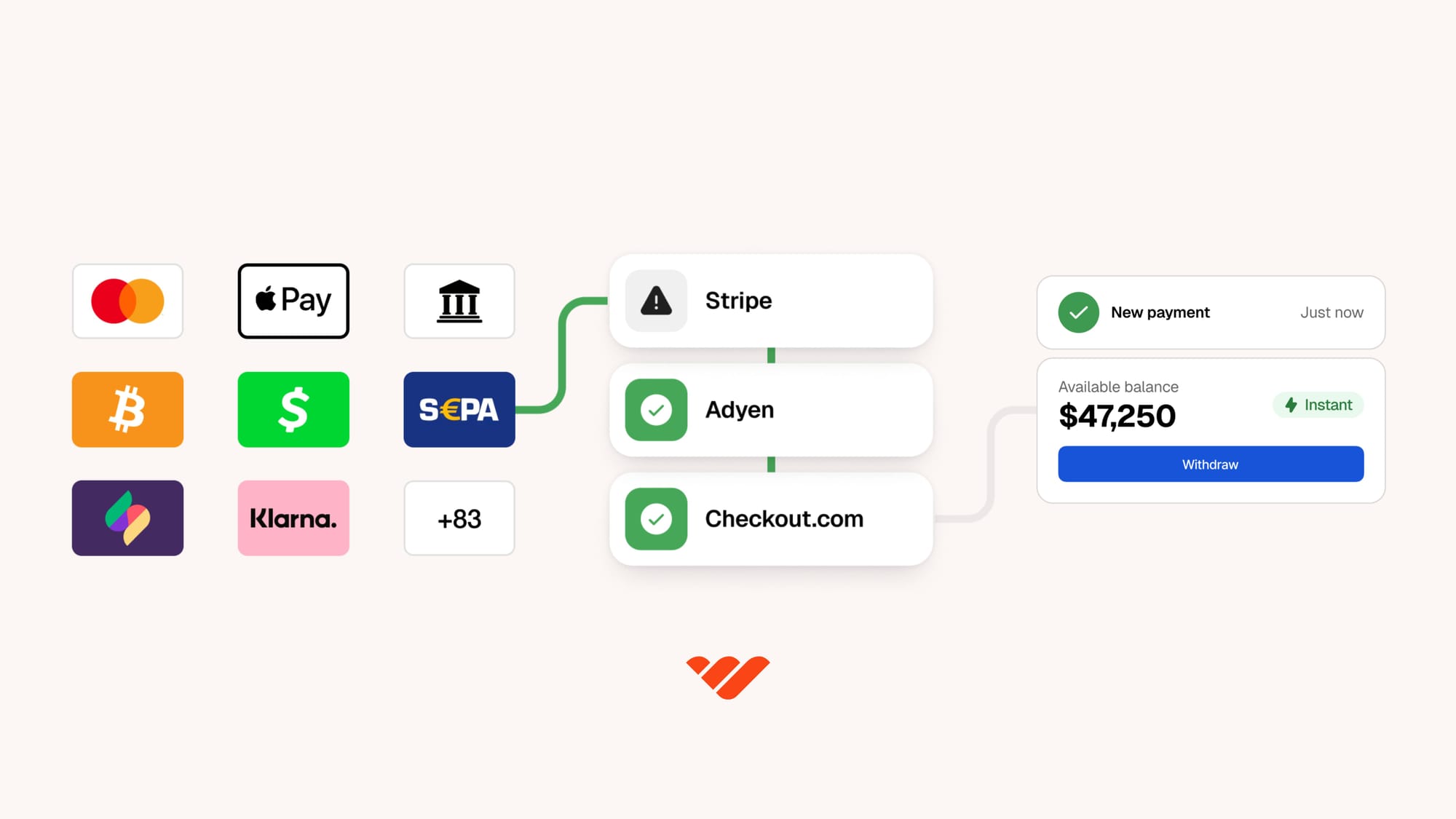
Before we build, here’s what Whop can actually handle on your behalf.
- Access to payment tools through our trusted partners and the best possible payment rails. That means faster, more secure payments across cards, wallets, BNPL, crypto, and more. All while keeping the setup process simple.
- Whop manages the whole subscription lifecycle (renewals, cancellations, upgrades, downgrades, and failed payments). Customers access a self-serve billing portal so they can manage subscriptions themselves. Basically, way less support work for your team.
- You also get built-in dunning, with automatic retry attempts over a five-day period to help recover failed payments and reduce churn automatically.
TL;DR: Instead of spending days configuring webhooks and custom billing logic, you can launch with infrastructure that’s already designed to scale alongside your SaaS business.
How to set up subscription and recurring billing with Whop
Now that you know what’s covered, let’s cook.
We'll go through each step together, and get your product priced up with recurring payments enabled in the next 15 minutes.
Step 1: Create your product (2 minutes)
Start by heading to your business dashboard and creating the subscription product customers will actually purchase.
Once you’re in the product editor, you can set your product title and description. Choose ‘Recurring’ as the pricing type, enter your price and billing cycle (weekly, monthly, or yearly), and select your currency.
Click next, and you can then toggle which apps, perks, or access customers receive after purchase:
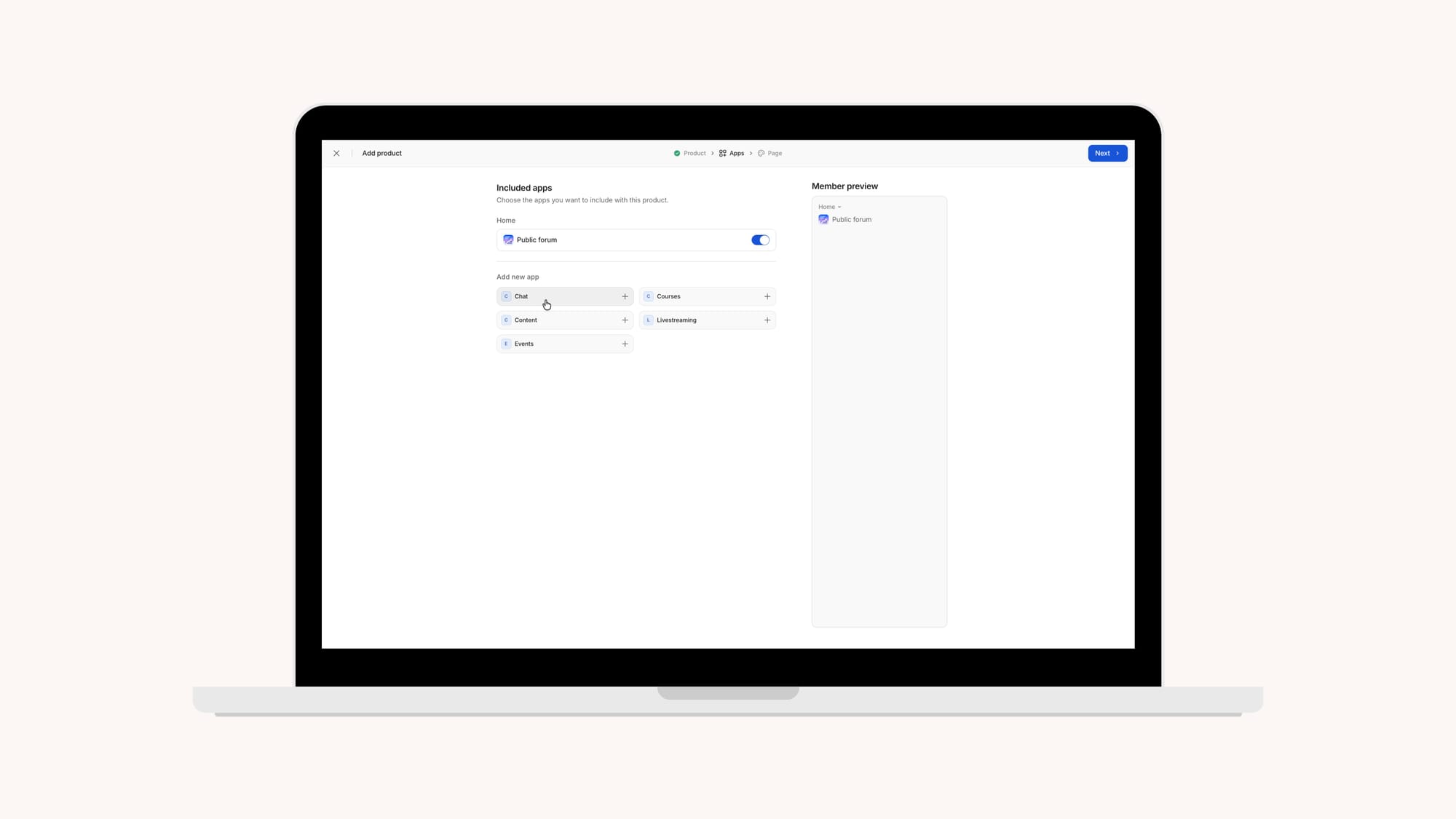
Want to offer both monthly and annual plans? You don’t need to create separate products.
Just click “Add another billing period” to add multiple pricing options under the same product listing.
Step 2: Customize and configure your checkout link (5 minutes)
Next, create the checkout experience customers will use to subscribe.
Head back to your dashboard and click on ‘Checkout links’, and select the product you want to customize the checkout link for.
This is where you’ll configure the product's billing behavior, and any retention or onboarding extras you want to include.
Some of the most useful recurring-specific settings include:
- Initial fee: Add an optional one-time setup or onboarding charge on top of the subscription
- Free trial: Set a trial period in days before billing begins
- Cancellation discount: Automatically trigger a retention offer when someone attempts to cancel
- Split payments: Let customers pay for higher-ticket plans in installments (for example, an annual subscription split into four payments)
- Stock limits: Cap access for beta pricing or limited early-user offers
Free trials are only available on recurring checkout links. If you’re planning to offer a SaaS trial experience, make sure you’re using a recurring billing setup from the start.
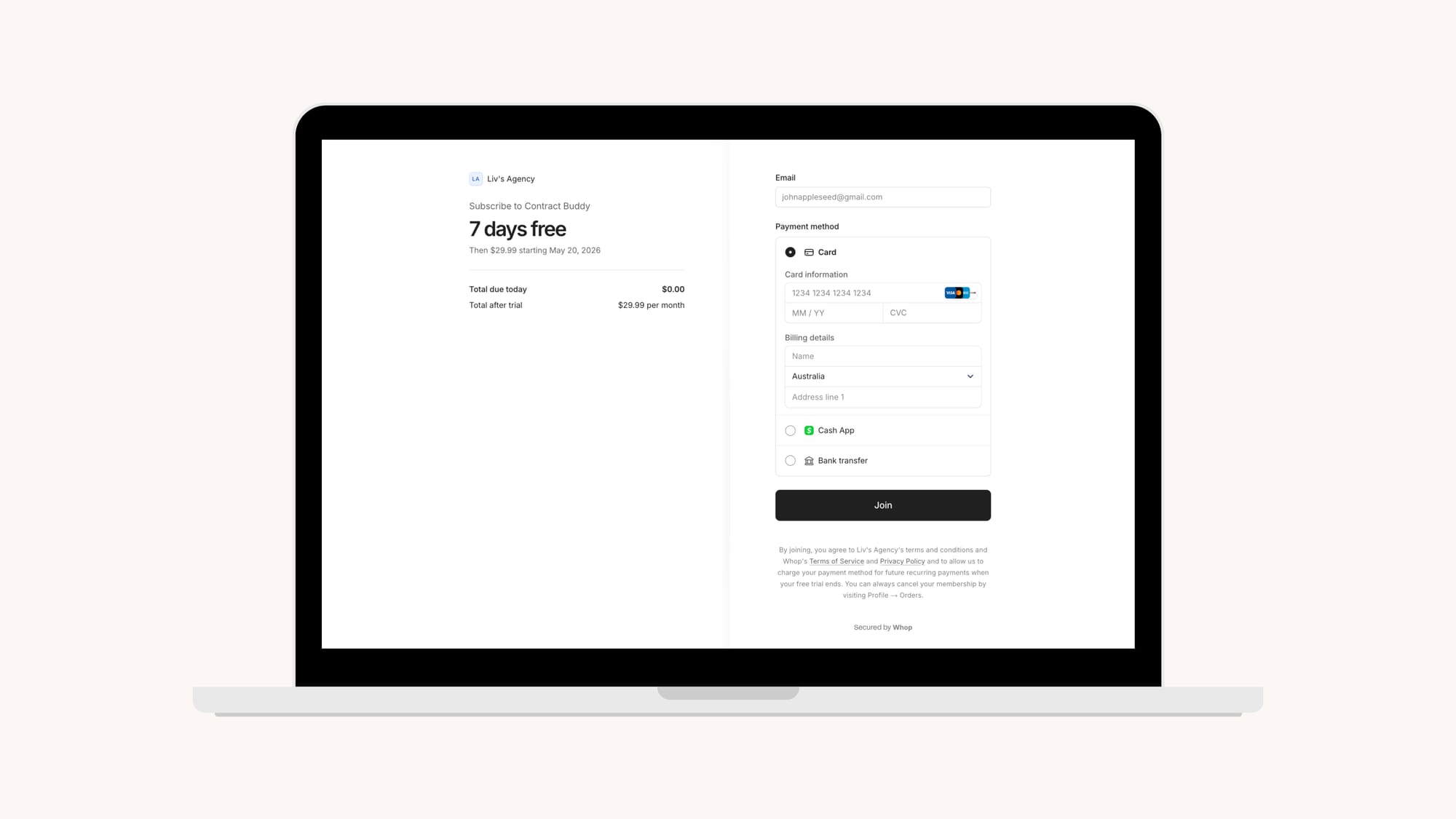
According to Position Digital, free trials that ask for a credit card convert 5x times better. Whop checkouts ask for payment details to ensure automatic billing occurs once the free trial ends.
Step 3: Choose your payment methods (1 minute)
From the checkout link builder, choose which payment methods you want to offer customers; including credit and debit cards, PayPal, Cash App, local payment methods and bank transfers, crypto, and BNPL providers.
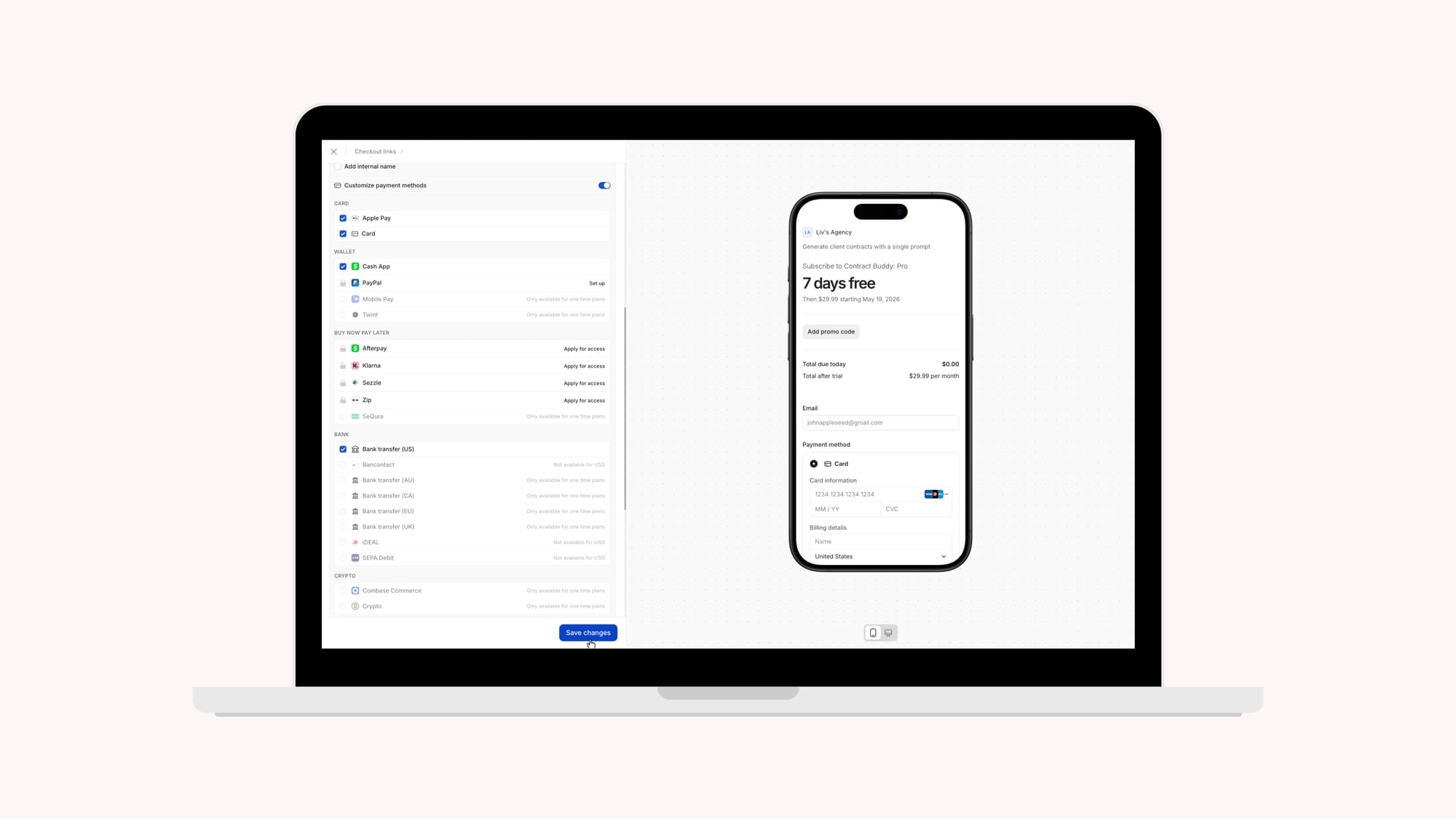
Having international payment methods is also key. Global customers expect to pay using methods they already trust (so forcing everyone through a single payment option just creates unnecessary drop-off at checkout).
Coach Carl Parnell says he moved to Whop for the payment options – specifically the BNPL providers, “I started getting payments that I ordinarily couldn't make because people just couldn't afford my fee up front.”
Note: Depending on the currency selected, some payment methods may not be available. Certain wallets and BNPL are only available for one-time payments.
Remember, the window to capture buying intent is often incredibly small:
“Think about seeing an Instagram ad for a t-shirt and you try to buy it. If you try to purchase the product and it doesn't work, the likelihood of you trying again is very low.”
– Derek Wilmer, Payments @ Whop
Whop helps boost payment acceptance with by automatically retrying failed payments and using smart orchestration to route transactions through the payment rails most likely to succeed.
Step 4: Share your checkout link (3 minutes)
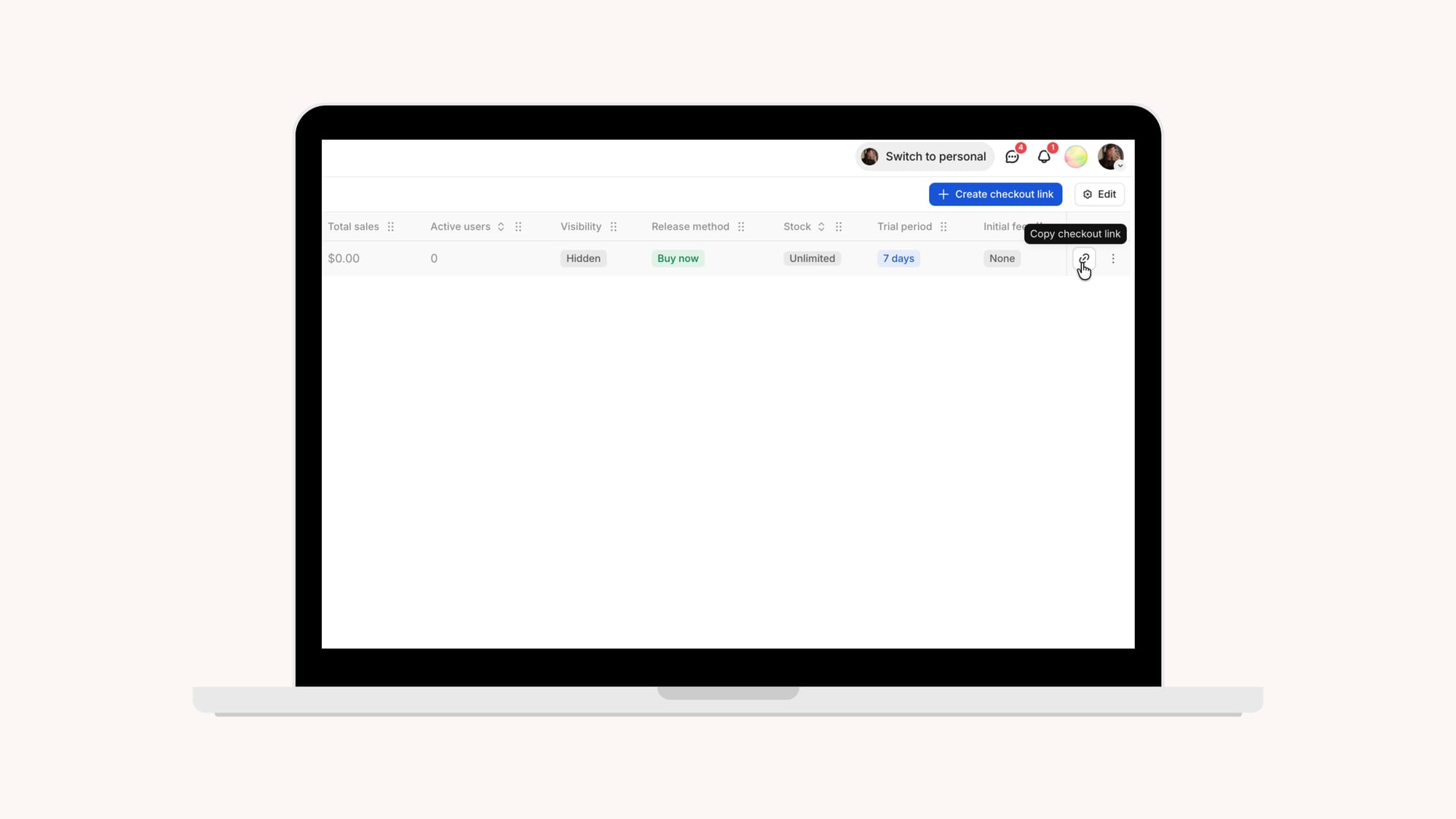
Once your recurring billing setup is ready, Whop generates a checkout link you can immediately start using across your sales flow.
Paste the link directly into landing pages, pricing sections, onboarding emails, CTA buttons, social bios, or anywhere customers are converting.
Because the checkout is already connected to your recurring billing configuration, subscriptions, renewals, free trials, and payment retries all happen automatically in the background.
This is the fastest way to launch recurring SaaS billing without needing custom development work or a fully custom payment flow.
Embed your checkout for a more native experience
If you want customers to subscribe without leaving your website or app, Whop also supports embedded checkout.
Instead of redirecting users to a hosted checkout page, devs can render the checkout directly inside an existing onboarding flow, product dashboard, or landing page using Whop’s embedded checkout tools.
The setup works by generating a checkout session through the API, which you can then connect to either a React component or simple HTML embed to display checkout directly on your site.
Checkout links vs. embedded checkout
| Checkout link | Embedded checkout | |
|---|---|---|
| Effort | Low | Medium |
| Customization | Limited | Full control |
| Best for | Sharing links, quick setup | Custom UX, dynamic pricing |
| Server code required | No (Dashboard) / Yes (API) | Yes |
What happens when a customer subscribes?
Like I mentioned earlier, Whop does more than just charge your customers and connect you with payments infrastructure.
Your entire subscription lifecycle is handled BTS, so you’re not stuck manually managing renewals, failed payments, cancellations, or customer billing issues yourself:
- Renewals are processed automatically based on the billing cycle you configure. Customers keep access as long as payments continue successfully, without you needing to manually send invoices or manage renewals.
- If a payment fails, the customer is emailed and prompted to update their payment method, while automatic retry attempts continue over a 5 day period to recover the payment before the subscription is eventually canceled.
- Sellers can manually retry failed payments directly from their dashboard, too.
- Customers are able to manage their own subscriptions through the billing portal, where they can update cards, view billing history, manage active subscriptions, or cancel plans themselves.
Set up recurring SaaS billing and subscriptions with Whop
Whop gives solo devs and software companies everything needed to manage software subscriptions, licenses, and payments in one place.
Where other SaaS billing solutions charge you for every add-on feature, we give you the full stack. Monthly, annual, and custom billing cycles. Automatic retries. Dunning built in. Plus, create and send invoices with automated scheduling.
Create checkout links, host your product on Whop, or embed checkout into your existing website, IOS app, or web app.
And with Whop Ads now live, you can even reinvest your revenue to launch, manage, and scale Meta campaigns directly within the Whop dashboard.
Simplify your SaaS billing, automate subscriptions, and scale your revenue from one platform with Whop.